Initiative case · AI experience · Systems
A card for sensitive data became a work model for every product.
UWX, the Unified Work Experience, describes how people and AI work together across the zvoove products: from the signal to the result. It started with a GDPR card in zAIn, which became a pattern and then a model. Today product managers build their prototypes with it, and UWX is anchored in the 2026/27 product strategy.
- Role in the project
- Author of the modelDeveloped UWX on my own
- Setting
- zvoove GermanyOnly designer, with product management and engineering
- Responsibility
- From the card to the modelGDPR card, three-layer pattern, UWX, PM guide, vision-system prototype
- Status
- and 3 more states
Established+3
As of September 2026
Established
In use: UWX with the product managers and their teams, anchored in the 2026/27 product strategy
Live
GDPR cards in zAIn, reading and planning, never writing
Prototype
Vision-system prototype (3/6/9), September 2026, used by PMs; 3/6/9 remains a framework
Open
There are no impact figures for UWX
Established+3
As of September 2026
Established
In use: UWX with the product managers and their teams, anchored in the 2026/27 product strategy
Live
GDPR cards in zAIn, reading and planning, never writing
Prototype
Vision-system prototype (3/6/9), September 2026, used by PMs; 3/6/9 remains a framework
Open
There are no impact figures for UWX
I did not build another product. I built a model for how people and AI work together across every product.
UWX · Unified Work Experience
At a glance
3 layers
understand, plan, result
3 layersunderstand, plan, resultThe three-layer pattern from the GDPR card in zAIn2026/27
anchored in the product strategy
2026/27anchored in the product strategyEstablished with the product managers and their teams3/6/9
vision-system prototype, used by PMs
3/6/9vision-system prototype, used by PMsSeptember 2026; 3/6/9 remains a framework
Problem
One approval does not cover everything
The GDPR card became the three-layer pattern: understand, plan, result.
Intervention
A model instead of another product
UWX sets how a case runs from signal to result and when a person decides.
Outcome
The model lives in the PMs’ tool
In the 3/6/9 prototype UWX is the operating system; the 2026/27 strategy builds on it.
- Role in the project
- Author of the modelDeveloped UWX on my own
- Setting
- zvoove GermanyOnly designer, with product management and engineering
- Responsibility
- From the card to the modelGDPR card, three-layer pattern, UWX, PM guide, vision-system prototype
It started with a card for sensitive data.
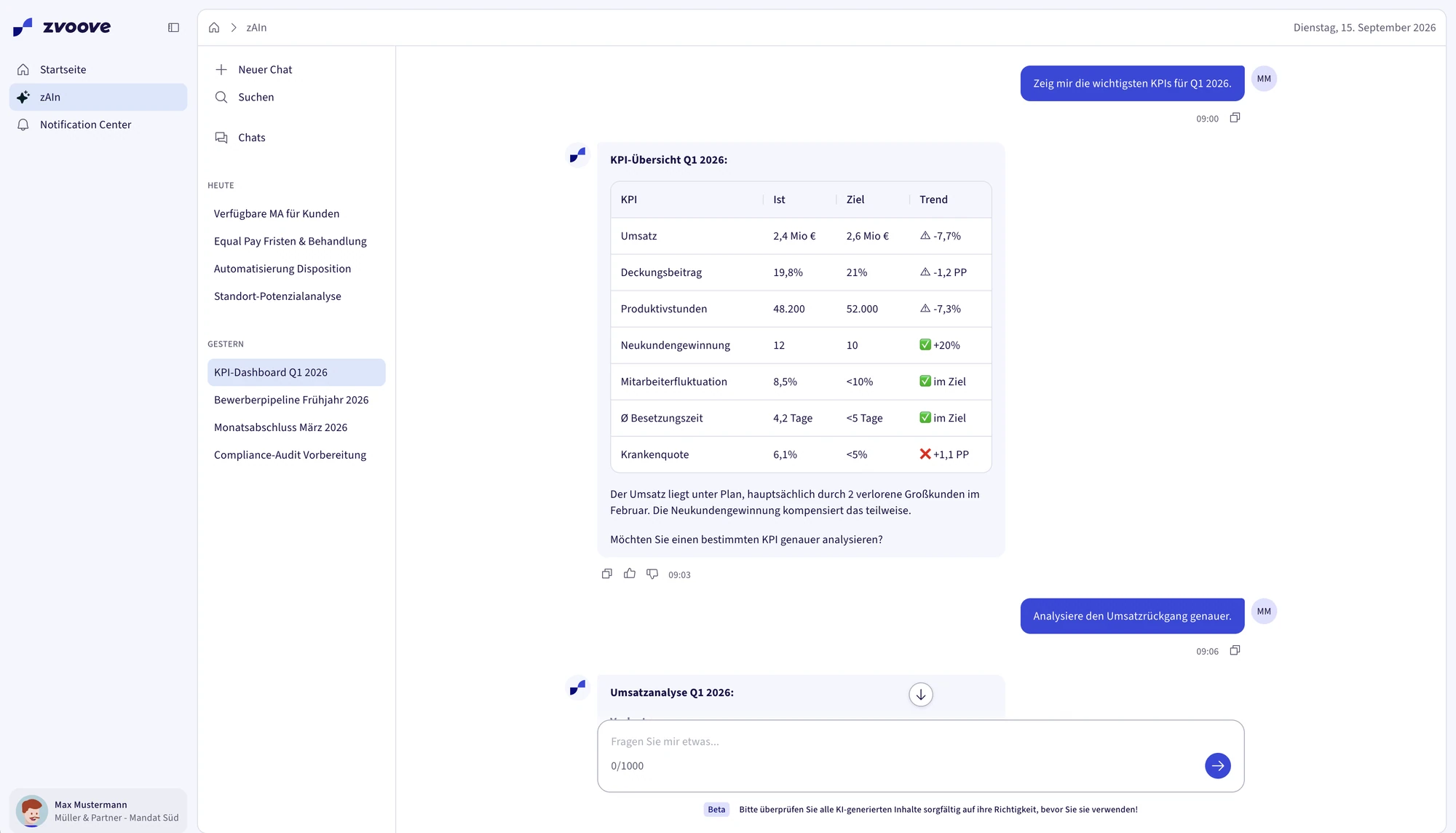
zAIn reads operational data straight from the ERP, including data about employees. As soon as a question touches sensitive fields, zAIn has to ask first, and it has to ask in the conversation itself. For that I designed the GDPR card: a confirmation in the chat before zAIn accesses sensitive employee data.
The card is one of the confirmation and reflection cards I designed for zAIn. zAIn has been live since 10.08.2026. The GDPR cards went live as reading and planning cards, not as writing ones.
The card showed that a single confirmation is too coarse. Approving a flow and approving a protected value are two different questions. That is where the pattern in the next chapter came from.
The card became a pattern with three clear jobs.
For sensitive data in zAIn I built the three-layer pattern, in the GDPR context and by GDPR rules. It grew out of two questions: how does zAIn handle sensitive data, and what changes when it does not just read but writes?
Message · What did zAIn understand?
Interpretation, questions back, handover. Nothing here can be acted on.
Jonas Weber is off from Monday. Can you find a replacement for his assignment?AUnderstood: a replacement for Jonas Weber from Monday, assignment EIN-1042 at Nordhafen Logistik.Intent · What is zAIn about to do?
The steps in the order they will run, in the words dispatchers use. Until the plan is approved, nothing runs.
Plan · 4 stepsApproval required
Look up Jonas Weber → find assignments → read requirements → match who is available
Runs after approvalDeclineApproveResult · What came back, and what now?
Result, selection, draft. Only here may the flow stop and ask consent for a protected field.
Three employees fit. Whom should I ask?3 matching employees
Anna Berger Forklift licence · 12 km from Mon Mara Jensen Forklift licence · 8 km induction Tom Krüger Forklift licence · 21 km from Wed Sample data
Rebuilt from my pattern documentation. The simple case, cover for a shift, through all three layers; examples paraphrased.
Each layer answers exactly one question, which is why each can also stand alone. A plain answer needs no plan approval; a notification the system raises on its own is only a result.
Six shapes, one grammar
| Shape | 01Message | 02Intent | 03Result | Typical trigger | |
|---|---|---|---|---|---|
| Message | without Intent | without Result | “When does the early shift in Kiel start?” | ||
| without Message | without Intent | Result | from the systemForklift licence expires in 14 days | ||
| Message | Intent | without Result | “Put Anna Berger on the early shift.” | ||
| Message | without Intent | Result | “Who is free next week?” | ||
| without Message | Intent | Result | scheduledFriday 2 pm: missing timesheets | ||
| Message | Intent | Result | “Can you find cover for Jonas Weber?” | ||
Not every field deserves an interruption.
What earns a consent
Read freely
What dispatchers already see. The plan approval covers it.
- Names and employee numbers
- Roles and qualifications
- Availability and location
Read, but logged
Shown without interruption; the access goes into the log.
- Private address and phone number
- Contract terms
- Absence reason, category only
Masked until consent
Never shown in full without consent for exactly this field. The plan approval does not cover it.
- Bank details
- Social security number
- Health records
Salary, invoices, bank details and sickness reasons cannot be reached in zAIn v1; they are not just hidden. So the pattern also describes the path for when that boundary opens. At GA zAIn reads; write actions run only on test and staging data.
Two requests, one structure
What worked in one chat had to hold across every product.
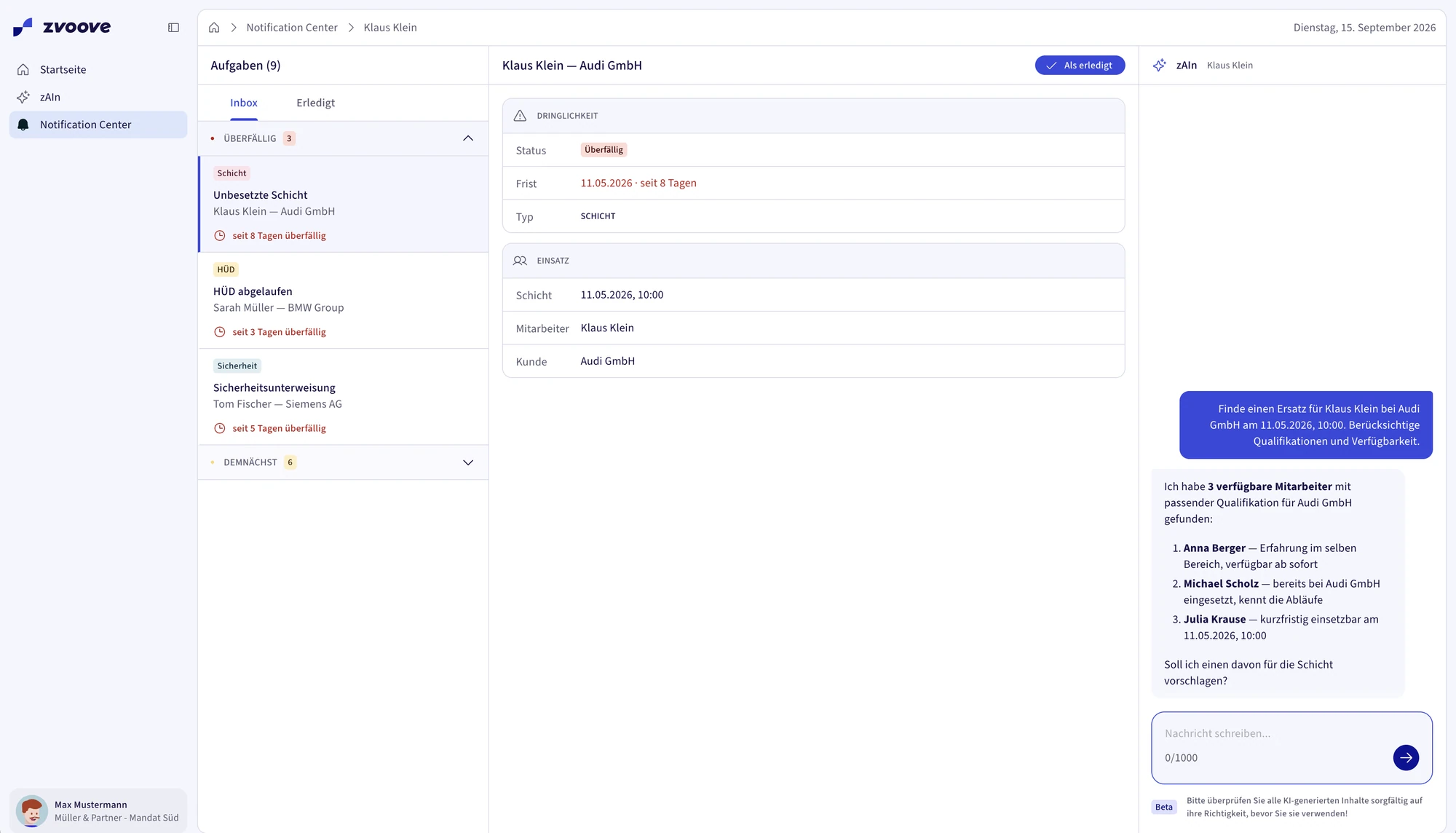
The pattern settled the question for one conversation. At zvoove, though, work runs across many products: Launchpad, Notification Center, zAIn and the domain products. With UEE, the Unified Entry Experience, I had defined the shared entry and prototyped it in code; it became the Launchpad. What remained open was how a case moves across product boundaries without losing its context.
For that I developed UWX, on my own. UWX is the shared model for AI-supported work across the zvoove products and a design principle for Product, Design and Engineering. I set up the concept and the PM guide in Confluence in August 2026.
Signal
Detect and sort
What comes up becomes a case instead of vanishing in a list.
- 01 Detect
- 02 Prioritise
Understand
Understand and decide
zAIn condenses context, cause and risk. A person chooses or confirms the next step.
- 03 Understand
- 04 Decide
Get it done
Act and close
The domain product or an automation carries it out; handovers stay visible.
- 05 Act
- 06 Continue
- 07 Resolve
Value
Make it visible
What the case achieved shows at the end.
- 08 Value
The state is the same in Launchpad, Notification Center, zAIn and the domain product. That holds for every station; it is not a ninth one.
Signal
Understand
Decide
Impact
From the pattern I took the principle, not the structure: each level answers one question, and approval sits where a decision has consequences. The three layers remain the pattern for a conversation in zAIn. The levels L1 to L3 in the conversation became the autonomy levels of UWX.
Level 1
Manual
A person sees the case and does everything themselves.
- needs a clear display
Level 2
AI assists
zAIn explains the case and suggests something. A person decides.
- needs sources and reasoning
Level 3
AI prepares
The action is fully prepared and runs only after approval.
- needs a preview and a log
Level 4
Autonomous
AI handles simple cases itself, only within clear limits.
- needs clear limits and a way back
target
A case moves up a level only when context, permission, safeguards and confidence are ready. The person stays responsible.
My principle throughout: make it visible before making it conceptually perfect. I wrote it down in August 2026, right after the readiness audit.
Product managers get the model whenever they prototype.
A model in Confluence helps little if every team has to translate it on its own. So UWX sits where new flows are made: in the vision-system prototype I built for the product managers in September 2026. With it PMs build live-like prototypes, and UWX is their operating system: anyone designing a new flow gets the model automatically. That is also where I finished defining UWX.
The vision-system prototype is the 3/6/9 prototype. 3/6/9 is my framework for readiness, prioritisation and prototypes; it is a way of working, not a product, and it does not ship.
Readiness first, then the prototype
Five product areas were at very different levels of maturity. In the readiness audit I laid them side by side on eight dimensions, with the perspectives of six product managers. From that I decided which flows got a deep prototype first.
Readiness audit
5
product areas
8
readiness dimensions
6
PM perspectives
The rules came first
The enablement started earlier. When everyone began working with AI assistants, I drafted the AI Playbook: for enablement, to sharpen what gets built, and to bring people back down to earth, because many feared for their jobs. Back then everyone used it. From 3 to 10 February 2026 I also built the AI Assistant Handbook on my own in Figma Make; the AI Product Playbook grew out of it. More in the zAIn case.
In July 2026 the AI Playbook 2.0 Lite for product managers followed: how to build with Claude, Claude Design and Claude Code, how to plug in skills from the zvoove Skills plugin and what to use for what, with weekly learnings and shared responsibility. In depth in the Skills case.
A concept that was long held back now carries the strategy.
I wrote the master document for UEE in January 2026. Internally the concept was held back for a long time and not taken seriously.
I did not wait. I gathered evidence, internally and with customers, aligned with the VP of Engineering and the head of AI of another unit, explained the concept and kept pushing it. In the end the 2026 and 2027 product strategy was aligned to it.
UWX builds on that entry and is anchored in the same product strategy. In it, UEE is the layer for entry and orientation.
GDPR card
A confirmation in the zAIn chat before sensitive employee data is read. Live, reading and planning.
Three-layer pattern
Understand, plan, result; field consent kept apart from plan approval.
UWX
One model for AI-supported work across all products; concept and PM guide in August 2026.
PM enablement
The vision-system prototype (3/6/9) for the product managers, September 2026.
Product strategy
UEE and UWX are anchored in the 2026 and 2027 product strategy.
See also:How the direction got through
What is established and what remains open.
UWX is established and in use: the product managers and their teams work with it, and it is anchored in the 2026/27 product strategy. The parts underneath are at different stages.
In productionLive2 entries
GDPR cards in zAIn
Reading and planning, never writing.
Launchpad, zAIn, Notification Center
Parts that show pieces of UWX; live since August 2026, rollout ongoing.
Design & proof2 entries
Vision-system prototype (3/6/9)
Prototype
Where UWX is fully defined and serves as the operating system. 3/6/9 is a framework and does not ship.
Three-layer pattern
Pattern
For sensitive data in zAIn, by GDPR rules. The writing path is described; writing runs only on test and staging data.
Pending1 entry
Impact
Open
There are no impact figures for UWX; baselines are missing.
Fewer context switches across products is defined as the target signal; it has not been measured. That parts are live does not prove UWX is implemented everywhere.
Learnings
Start small, then generalise.
The card was concrete enough to show what a general model has to solve.
Evidence carries further than slides.
The concept got through on the evidence I gathered.
A model needs a tool.
UWX only became usable in the PMs’ prototype.
What I would do differently today
Today I would collect baselines early.
Without starting values, the impact of UWX stays a claim.
A model takes hold when it lives in the tool others already work with.
fin (for now)